Integration with BIM [ BIM Model Data for Your Business Processes ]

[ about product ]
Integrate BIM, schedules, ERP, GIS, and construction data into a unified digital project ecosystem. Use the BIM model as a single source of truth for asset data.
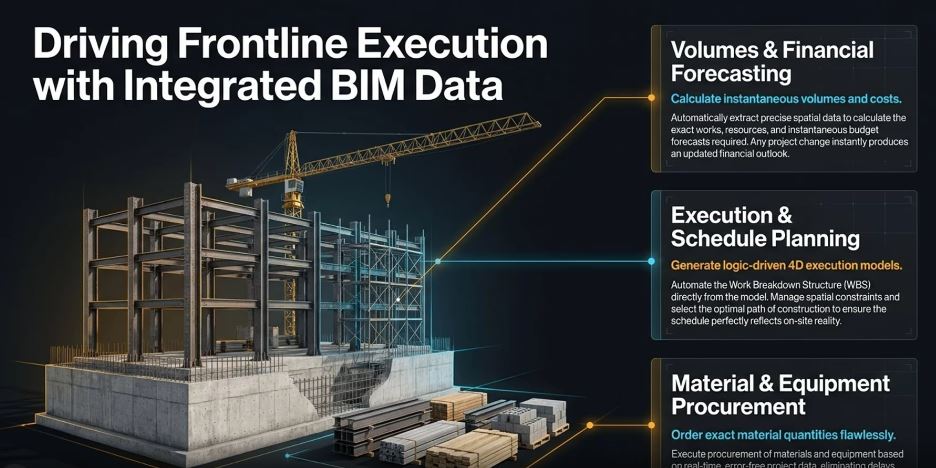
- [ 001 ]
- Reduction in labor effort and data processing time
- [ 002 ]
- More time for high-value activities through the elimination of routine tasks
- [ 003 ]
- Elimination of human-factor errors and data degradation
- [ 004 ]
- Continuous alignment of ERP data with the current project state
- [ 005 ]
- Up-to-date budget forecasting for project changes
- [ 001 ]
- Automation of quantity takeoff for task duration calculation
- [ 002 ]
- 4D simulation of the construction process, considering equipment usage and project logistics
- [ 003 ]
- Project completion date forecasting based on current facility data
- [ 004 ]
- Reduction in planning and change management effort, enhancement of planner productivity
- [ 005 ]
- Enhancement of planning quality through visualization of construction sequences
[ at a glance ]
Key Benefits
Make your next project easier to manage

[ how it works ]


FAQ
Most BIM model formats are supported through dedicated plugins for Revit, Navisworks, and Bentley MicroStation, as well as through native support for the IFC format.
Yes, it is possible to transfer data on work quantities and costs calculated based on BIM model element parameters, linked to governmental or corporate work and resource classification systems. Additionally, workflows can be automated for generating procurement orders based on data about materials and equipment used.
Yes, it is possible to automate the creation of a Work Breakdown Structure (WBS) and calculate task durations based on model-derived quantities and standard labor or duration rates per unit, using governmental or corporate work classification systems.
Yes, IFC models can be imported without the need for additional manual conversion.
Integration can be executed either automatically—triggered by specific events (for example, when a new BIM model version is uploaded to the Common Data Environment)—or manually, at the user’s initiative.
Yes, various data exchange scenarios are supported, including receiving data from external systems and updating BIM model parameters, such as element statuses (e.g., equipment ordered / delivered to site / installed).

